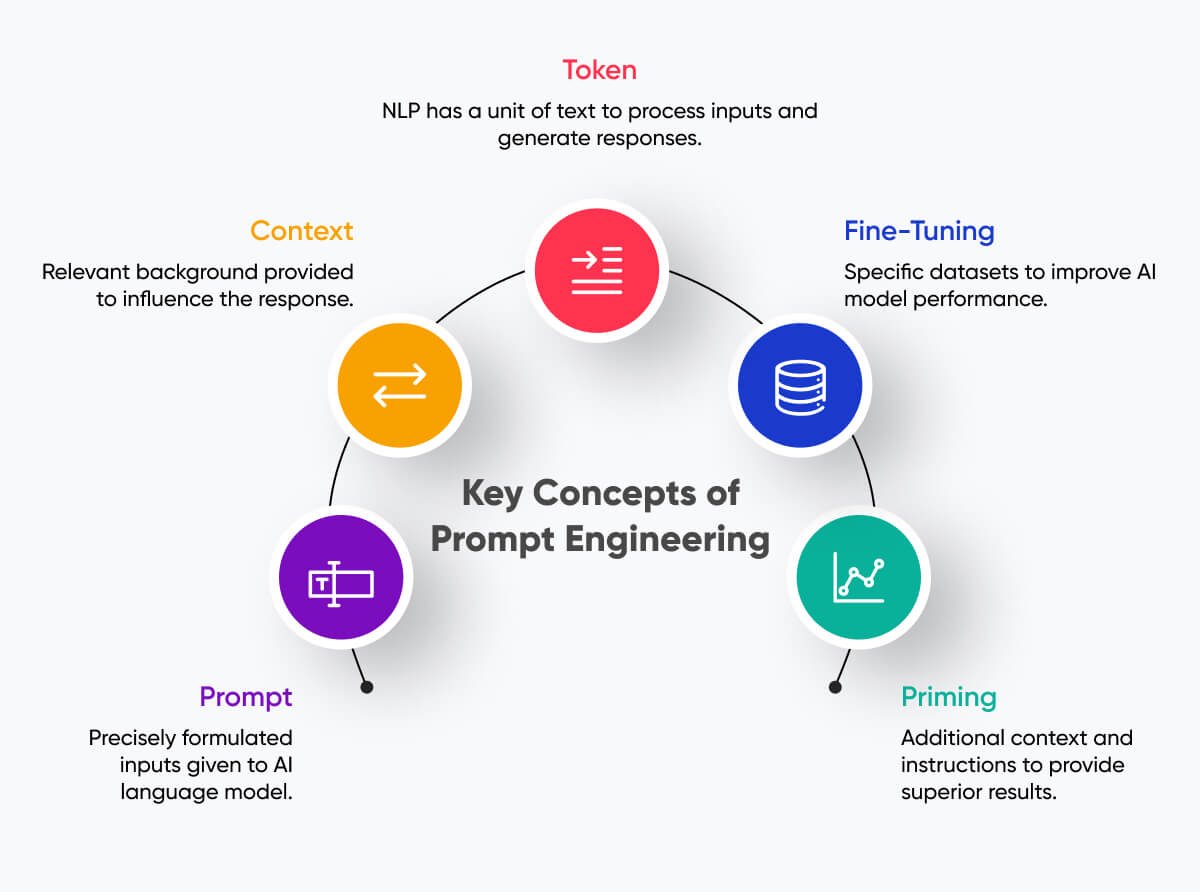
In an age where visual content reigns supreme, the ability to conjure stunning, precise images from thin air—or, more accurately, from thoughtful text prompts—is an invaluable skill. While simply asking GPT-4o to "create an image of a cat" might yield a result, Mastering Advanced Prompt Engineering for GPT-4o Image Generation is about moving beyond the generic to consistently produce high-quality, targeted visuals that truly capture your vision. This isn't just about pretty pictures; it's about unlocking a new dimension of creative control and efficiency.
At a Glance: Crafting Your Visual Masterpieces
- Beyond Basic Requests: Learn to move past simple descriptions to create truly unique and specific images.
- The AI's Language: Understand how GPT-4o translates your words into visual concepts, focusing on detail, style, and mood.
- Structured Prompting: Utilize a proven framework to build comprehensive prompts that leave less to chance.
- Advanced Techniques: Master iterative refinement, persona-driven prompts, and the power of negative prompts for unparalleled control.
- From Static to Dynamic: See how your advanced prompting skills lay the groundwork for future video generation with tools like Sora.
- Troubleshooting & Refinement: Equip yourself with strategies to fix common AI generation issues and continuously improve your outputs.
Why Your Images Need Advanced Prompt Engineering
Generating an image with AI can feel like magic, but for anyone looking to create professional-grade illustrations, specific marketing assets, detailed concept art, or engaging storyboards, relying on basic prompts quickly hits its limits. The difference between a generic output and a truly high-quality visual often lies in the sophistication of your prompt engineering.
Think of it this way: asking an artist to "draw a house" is vastly different from commissioning "a Victorian-era haunted mansion, silhouetted against a full moon, with bats circling a crumbling turret, in the style of Tim Burton." The latter provides the blueprint for something specific, evocative, and compelling. Advanced prompt engineering empowers you to be that visionary director for GPT-4o, ensuring your AI-generated visuals align precisely with your creative intent, whether you're a seasoned designer or someone with no prior design experience. It's about turning your abstract ideas into concrete, stunning realities.
The Foundation: How GPT-4o Interprets Your Visual Vision
Before diving into complex techniques, it's crucial to grasp a fundamental concept: GPT-4o, like other generative AI models, doesn't "see" in the human sense. Instead, it processes your prompt as a collection of linguistic tokens, mapping them to its vast training data to construct an image. This means every word, every phrase, every comma you use carries weight.
The AI looks for cues related to:
- Subject: What or who is in the image?
- Action: What are they doing?
- Setting: Where is this happening?
- Style: What artistic or photographic aesthetic should be applied?
- Attributes: Colors, textures, emotions, lighting, time of day, camera angles.
Your goal is to provide enough clear, descriptive information that GPT-4o can accurately reconstruct your mental image. Vague instructions lead to generic outputs, while precise, context-rich prompts lead to exceptional results. This understanding forms the bedrock of truly mastering advanced prompt engineering techniques across all AI applications, including image generation.
From Concept to Canvas: Essential Prompting Pillars
Crafting compelling image prompts is a systematic process that builds clarity layer by layer. Each element you add refines GPT-4o's understanding, nudging it closer to your desired output.
Precision in Description: The Blueprint of Your Image
Start with the core subject and its immediate environment. Be as specific as possible. Instead of "a forest," try "a dense, ancient redwood forest at dawn."
- Subject: Who or what is the primary focus? (e.g., "a majestic lion," "a curious young girl," "a sleek, futuristic car").
- Action/Pose: What is the subject doing, or how are they positioned? (e.g., "roaring defiantly," "gazing up at the stars," "speeding down a highway").
- Setting: Describe the environment. Include details about landscape, interior elements, or atmosphere. (e.g., "on a savanna plain under a storm-laden sky," "in a cozy, candlelit library," "through a neon-soaked cyberpunk city").
- Details: Add specific features or accessories. (e.g., "with a flowing mane and scars," "wearing an oversized knitted sweater," "reflecting city lights on its chrome finish").
Stylistic Control: Shaping the Aesthetic
This is where you dictate the visual language of your image. Do you want a photograph, a painting, a 3D render, or something else entirely?
- Art Style: Specify artistic movements (e.g., "impressionistic painting," "surrealist artwork," "Art Deco poster"), famous artists (e.g., "in the style of Van Gogh," "reminiscent of Hayao Miyazaki"), or digital art styles (e.g., "low-poly 3D render," "pixel art," "vector illustration").
- Photography Terms: If aiming for realism, use photography jargon (e.g., "macro photography," "wide-angle shot," "portrait photography," "bokeh effect," "shallow depth of field").
- Rendering Style: For digital art, clarify the rendering (e.g., "photo-realistic," "hyper-realistic," "cinematic rendering," "cartoonish," "anime style").
Mood & Atmosphere: Evoking Emotion
The emotional resonance of an image is often determined by its lighting and color palette.
- Lighting: Describe the light source, its quality, and direction (e.g., "soft natural light," "dramatic chiaroscuro lighting," "neon glow," "backlit sunset," "moody ambient light").
- Color Palette: Specify dominant colors or overall tone (e.g., "warm autumnal colors," "monochromatic blue tones," "vibrant, saturated hues," "desaturated and muted").
- Time of Day/Weather: Crucial for setting the scene (e.g., "golden hour," "midnight rain," "foggy morning," "bright midday sun").
Composition & Framing: Guiding the Viewer's Eye
How the elements are arranged and from what perspective they're viewed significantly impacts the image's story and impact.
- Camera Angle/Perspective: (e.g., "low-angle shot," "bird's-eye view," "dutch angle," "point of view perspective").
- Framing: (e.g., "close-up," "medium shot," "full body shot," "establishing shot").
- Compositional Techniques: (e.g., "rule of thirds," "leading lines," "symmetrical composition," "asymmetrical balance").
- Aspect Ratio: While sometimes a separate setting, you can imply it (e.g., "panoramic view," "Instagram square").
Advanced Strategies for Unlocking GPT-4o's Full Potential
With the foundational pillars in place, you can now push the boundaries of what GPT-4o can achieve. These strategies turn prompt engineering into a dynamic, iterative, and deeply creative process.
Iterative Refinement: The Art of Conversation
Rarely will your first prompt yield a perfect result. Think of prompt engineering as a conversation.
- Start Broad: Begin with the core elements (subject, action, basic style).
- Evaluate: Look at the initial output. What's working? What's missing? What's wrong?
- Refine: Add details, clarify ambiguities, or adjust stylistic elements in subsequent prompts. You can often reference previous generations (e.g., "Now, take the previous image and add a slight rain effect").
- Remix: Use GPT-4o's remix capabilities to try variations of a good image, altering just one or two parameters.
This back-and-forth approach allows you to sculpt your vision gradually, much like a sculptor refines their work.
Layering Complexity: Building Richer Scenes
Don't be afraid to stack detailed descriptions. GPT-4o can handle intricate scenes if you break them down logically.
- Multiple Subjects: Describe each subject and their interaction. "A wise old owl perched on a gnarled oak branch, conversing with a mischievous fox peeking from below."
- Foreground, Midground, Background: Clearly define elements in each layer to add depth. "In the foreground, dew-kissed spiderwebs; in the midground, the silhouette of a medieval castle; in the background, a dramatic, storm-laden sky."
- Embedded Details: Incorporate smaller, specific elements within larger descriptions. "A bustling Victorian street, with steam rising from cobblestones, gas lamps casting an orange glow, and horse-drawn carriages clattering by."
Persona-Driven Prompts: Adopting a Creative Role
You can guide GPT-4o by assigning it a role, influencing its output through a simulated expertise.
- "Act as a professional wildlife photographer: capture a close-up, high-resolution shot of a snow leopard in its natural habitat, using a telephoto lens, with a blurred background."
- "As a concept artist for a fantasy game: design a majestic dragon, covered in emerald scales, with glowing eyes and colossal bat-like wings, in a dramatic pose over a mountain peak."
- "Generate a vintage travel poster, as if designed by an Art Deco illustrator, advertising a trip to Mars, featuring retro rockets and stylized planetary rings."
This technique subtly steers the AI towards a particular aesthetic or quality standard.
Few-Shot & In-Context Learning: Guiding with Examples
While you can't show images directly to GPT-4o's text input, you can describe a desired style or element by referencing existing concepts or providing examples within your text.
- "Create an illustration in the vibrant, whimsical style of Dr. Seuss, featuring fantastical creatures having a tea party."
- "I want an image reminiscent of classic film noir cinematography: high contrast black and white, dramatic shadows, a lone figure in a fedora under a streetlamp."
- "Design an interface icon. It should be clean, minimalist, and use a gradient similar to popular app icons (e.g., a subtle shift from deep blue to purple)."
This leverages the AI's understanding of vast artistic concepts to deliver specific results.
The Power of Negatives & Exclusions
Just as important as telling GPT-4o what you want is telling it what you don't want. Negative prompts are crucial for refining outputs and avoiding common pitfalls.
--no [element]or(not: [element]): If GPT-4o keeps adding people to your landscape, use "a serene mountain landscape, untouched by human presence --no people, --no structures."--less [quality]or(de-emphasize: [quality]): To reduce a certain characteristic. "An abstract painting of sound waves --less vibrant colors."- Common negative prompts for image quality often include:
--no text, --no watermark, --no blurry, --no distorted, --no ugly, --no low-res, --no bad anatomy, --no extra limbs, --no weird fingers, --no fused fingers, --no deformed, --no bad perspective.
Using negative prompts is a powerful way to prune undesired elements and enhance the overall quality and focus of your visuals. This technique significantly helps unleash your creativity with AI-powered image generation by giving you more precise control.
Crafting Your Prompts: A Practical Framework
To streamline your advanced prompt engineering, consider adopting a consistent structure. This framework, adapted from expert courses, helps ensure you cover all critical aspects.
The Advanced Image Prompt Formula:
[Core Subject & Action, with key details] + [Setting & Environment, with descriptive details] + [Desired Art/Photography Style & Medium] + [Lighting & Mood/Atmosphere] + [Composition & Camera Details] + [Specific Artistic Modifiers/Inspirations] + [Negative Prompts]
Example Breakdown:
Let's say you want a futuristic sci-fi city scene.
- Core Subject & Action: "A lone cyborg figure, cloaked in shadow, standing on a rooftop balcony,"
- Setting & Environment: "overlooking a sprawling, rain-slicked cyberpunk metropolis at night, neon signs reflecting in puddles, flying vehicles crisscrossing between towering skyscrapers,"
- Desired Art/Photography Style: "ultra photo-realistic digital painting, cinematic render,"
- Lighting & Mood/Atmosphere: "dramatic low-key lighting, bioluminescent glow from city, dark and mysterious atmosphere,"
- Composition & Camera Details: "wide-angle shot, rule of thirds, deep focus, 8K, high detail,"
- Specific Artistic Modifiers/Inspirations: "inspired by Blade Runner and Ghost in the Shell aesthetics,"
- Negative Prompts: "--no humans, --no text, --no watermarks, --no blurred elements in foreground."
Combined Prompt:
"A lone cyborg figure, cloaked in shadow, standing on a rooftop balcony, overlooking a sprawling, rain-slicked cyberpunk metropolis at night, neon signs reflecting in puddles, flying vehicles crisscrossing between towering skyscrapers, ultra photo-realistic digital painting, cinematic render, dramatic low-key lighting, bioluminescent glow from city, dark and mysterious atmosphere, wide-angle shot, rule of thirds, deep focus, 8K, high detail, inspired by Blade Runner and Ghost in the Shell aesthetics --no humans, --no text, --no watermarks, --no blurred elements in foreground."
This structured approach significantly increases your chances of getting exactly what you envision on the first or second try.
Beyond the Static Image: What Comes Next?
Mastering image generation with GPT-4o isn't a dead end; it's a launchpad. Your highly detailed and precisely crafted images can serve as the foundation for further creative endeavors. With emerging AI video models like Sora, and user-friendly editing tools like Canva, those still images can be transformed into dynamic narratives.
Imagine generating a series of images depicting key moments in a story, then using AI tools to stitch them together into a short, animated video. Or creating unique character assets and backgrounds, then compiling them into a comic strip or infographic. Your skills in detailed visual prompting directly translate to the quality and consistency of these extended media projects. You'll be ready to transform static images into dynamic video content with confidence.
Troubleshooting Common Image Generation Challenges
Even with advanced techniques, you'll encounter moments when GPT-4o doesn't quite hit the mark. Here's how to diagnose and address common issues:
Vague or Generic Results
- Problem: Images lack detail, specificity, or a unique style.
- Solution: Your prompt is likely too general. Add more descriptive adjectives, specific art/photography terms, and details about setting, lighting, and composition. Utilize persona-driven prompts to give the AI a clearer role.
Inaccurate Details or Undesired Elements
- Problem: The AI misinterprets a part of your prompt, or includes something you explicitly didn't want.
- Solution: Refine specific keywords. If "a green car" comes out blue, explicitly state "emerald green car." Crucially, employ negative prompts (
--no [element]) to exclude unwanted objects, colors, or styles. Break down complex requests into simpler, sequential prompts if necessary.
Undesired Style or Aesthetic
- Problem: The image looks cartoonish when you wanted realism, or vice-versa.
- Solution: Be explicit about your desired style using strong keywords: "photo-realistic," "hyper-realistic," "oil painting," "vector art," "3D render." Mentioning specific artists, movements, or even famous photographers can guide the AI effectively.
Consistency Issues Across Multiple Images
- Problem: Generating a series of images (e.g., for a comic or storyboard) but character features or settings change.
- Solution: Create a "seed prompt" or "character sheet" for your recurring elements. Describe the character, their attire, and the setting in extreme detail, then copy-paste this consistent description into each subsequent prompt, only changing the action or specific scene. This helps GPT-4o maintain continuity.
Ethical Concerns and Bias
- Problem: AI-generated images sometimes reflect biases present in their training data (e.g., stereotypical representations).
- Solution: Be mindful and explicit in your prompts to counteract bias. If you want diverse representation, specify it: "a diverse group of scientists," "people of various ages and ethnicities." Continuously evaluate outputs for fairness and inclusivity. Remember to adhere to ethical AI best practices in all your creations.
Evaluating Your AI-Generated Masterpieces
Once you've generated an image, how do you know if it's truly high-quality? A systematic evaluation helps you understand what worked and how to improve.
- Relevance: Does the image accurately reflect all elements of your prompt? Did it miss anything crucial?
- Quality: Assess the technical aspects – resolution, clarity, absence of artifacts, smooth rendering, realistic textures (if applicable).
- Aesthetic Appeal: Is it visually pleasing? Does the composition work? Is the lighting effective? Does it evoke the intended mood?
- Uniqueness: Does it stand out, or is it a generic representation? Advanced prompting aims for distinct visuals.
- Ethical Review: Does the image convey any unintended biases or stereotypes? Is it appropriate for its intended use?
By critically reviewing your outputs, you'll gain insights into how GPT-4o interprets your instructions and where your prompt engineering can be further refined. This continuous feedback loop is essential for mastery.
Your Next Steps to Visual Mastery
You now possess the knowledge to elevate your GPT-4o image generation from basic requests to sophisticated visual creations. The journey to mastery is ongoing, requiring practice, experimentation, and a willingness to learn from every output.
- Practice Consistently: The more you prompt, the better you become at anticipating AI responses and crafting precise instructions. Start with the structured framework and gradually add complexity.
- Experiment Fearlessly: Try different stylistic keywords, compositional techniques, and negative prompts. Don't be afraid to push the boundaries of what you think GPT-4o can do.
- Analyze and Iterate: Every image is a learning opportunity. Look at what worked, what didn't, and why. Use this feedback to refine your next prompt.
- Stay Updated: AI models like GPT-4o are constantly evolving. Keep an eye on updates and new features that might enhance your image generation capabilities.
- Explore Applications: Think about how you can apply these skills. Could you create custom assets for your blog, unique social media content, or even explore avenues for selling AI-generated art? The possibilities are vast.
Embrace the role of a creative director, guiding GPT-4o with clarity and vision. The world of high-quality AI-generated visuals is now at your fingertips. For even more insights, feel free to Explore OpenAI 4o image generation and discover the cutting-edge capabilities available.